![Safely-Logo@2x.png]](https://hello.safely.com/hs-fs/hubfs/Safely-Logo@2x.png?height=40&name=Safely-Logo@2x.png)
Contents
Billing information:
-
You may pay by Bank ACH or by credit card. Credit card payments will be assessed a 3% fee or the maximum allowed, which is not greater than our cost of acceptance.
-
ACH payments do not include a surcharge.
-
Safely will only invoice for covered reservation that checked out in the prior month.
-
Ten (10) days after you receive the monthly invoice, Safely will apply payment using the designated payment method.
-
Changes to your payment method can be made by you directly in the billing dashboard.
To Set Up Your Account and Enter Payment Details
Once your account is set up in our billing system, Armatic, you will receive an email detailing how to add your payment details.
Setup Your Safely Billing Dashboard
- Go to https://safelystay.armatic.com/home
- Enter your email address and select your account name (if applicable).
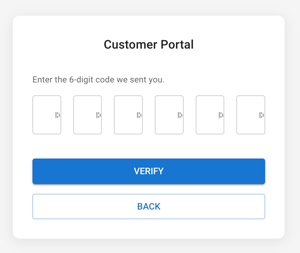
- Armatic (support@armatic.com) will then send you a 6-digit authentication code to your email. Note: The code expires after 10 minutes.
- If you don't receive the email, please be sure to check your spam folders.
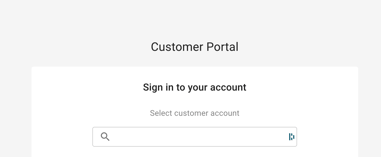
- Enter that code when prompted and select the Verify button. This will navigate you to your Armatic dashboard.
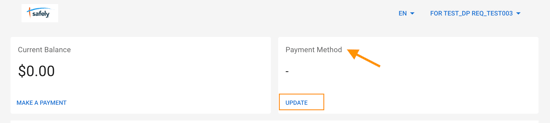
- To add your payment method, go to the Payment Method section in the upper right-hand corner and click Update.
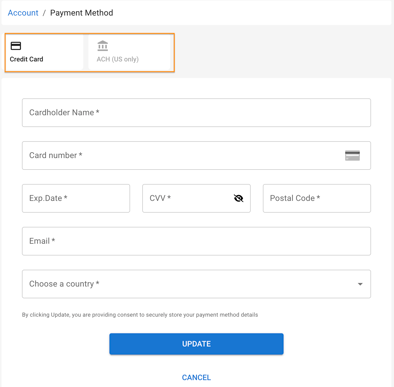
- Select either Credit Card or ACH (US only).
- Enter all required fields.
- When entering ACH details, note that the Account Number is to be entered into the first field and the Routing Number is entered into the second field.
- Click Update
Change Your Payment Details
-
Log into your account dashboard following the instructions above: https://safelystay.armatic.com/home
-
Go to Payment Method section.
-
Click Update and follow instructions above.
Understanding Invoice Details
Safely will invoice you monthly for completed reservations that checked out in the prior month. They are typically sent in the first two weeks of the month.
To view the invoice, either:
- Log into your account dashboard: https://safelystay.armatic.com/home
- Click into the Invoice tab
- Click the Invoice link in the monthly invoice email.
The invoice has three sections:
-
The first page of the invoice is the total amount due to Safely.
- This is a combination of the breakdowns on pages 2 and 3.
- To view the reservation details, see instructions below.
- The second page of the invoice is a breakdown for regulatory purposes only:
- Policy Charges billed on behalf of On Demand Insurance Agency LLC
- This is the sum of the breakdown highlighted on page 3.
- SafelyStay, Inc Fees
- Policy Charges billed on behalf of On Demand Insurance Agency LLC
- The third page of the invoice is a breakdown for regulatory purposes only:
- Insurance Premiums-Policy ACC01000XX-XXXX-0-202X-[Month]
- X.XX% [State] Surplus Line Tax Rate (and any additional required state fees)
To view and download the reservations covered in the invoice
-
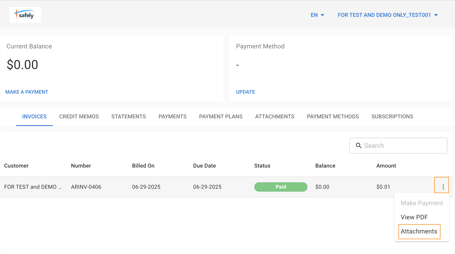
On the far right-hand side of the invoice click on the three dots and select Attachments.
-
Click the tray icon to view details.

To view a sample invoice and related reservations:
Updated 10082026