![Safely-Logo@2x.png]](https://hello.safely.com/hs-fs/hubfs/Safely-Logo@2x.png?height=40&name=Safely-Logo@2x.png)
Change Your Payment Details
-
Log into your account dashboard: https://safelystay.armatic.com/home
-
Go to Payment Methods tab.
-
Click Update in the Payment Method information box and follow instructions above.
-
Enter either Credit Card or ACH (US only) details by clicking the appropriate button.
- Enter all required fields.
- When entering ACH details, note that the Account Number is to be entered into the first field and the Routing Number is entered into the second field.
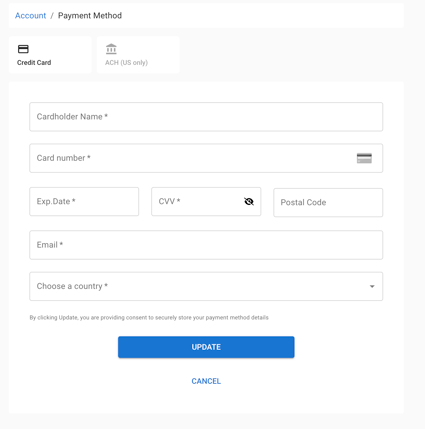
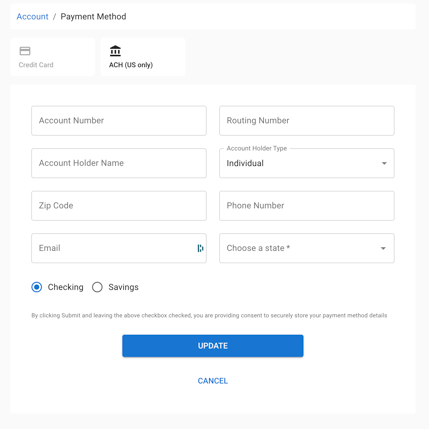
*Note: If your Cardholder Name or Account Holder Name does not fit in the character limit, this does not affect the updated payment information
If you or a team member need access to Armatic, please contact Conceirge@safely.com. Provide the First name, Last name and email address of the person to be added. The Concierge team will send you an invite to activate your account.